
Professional profiles
Create a clear, credible image for work and networking.
AI profile picture maker
Upload a clear photo and let AI refine the lighting, background, framing, and wardrobe while keeping you recognizably you.
Pick a portrait style and background. AI will handle the professional finish.
Your upload is processed securely and saved to your account.
One person, a stronger first impression
A useful profile photo improves the setting and presentation—not your identity. Adyvi keeps the face recognizable while adapting the portrait for professional contexts.
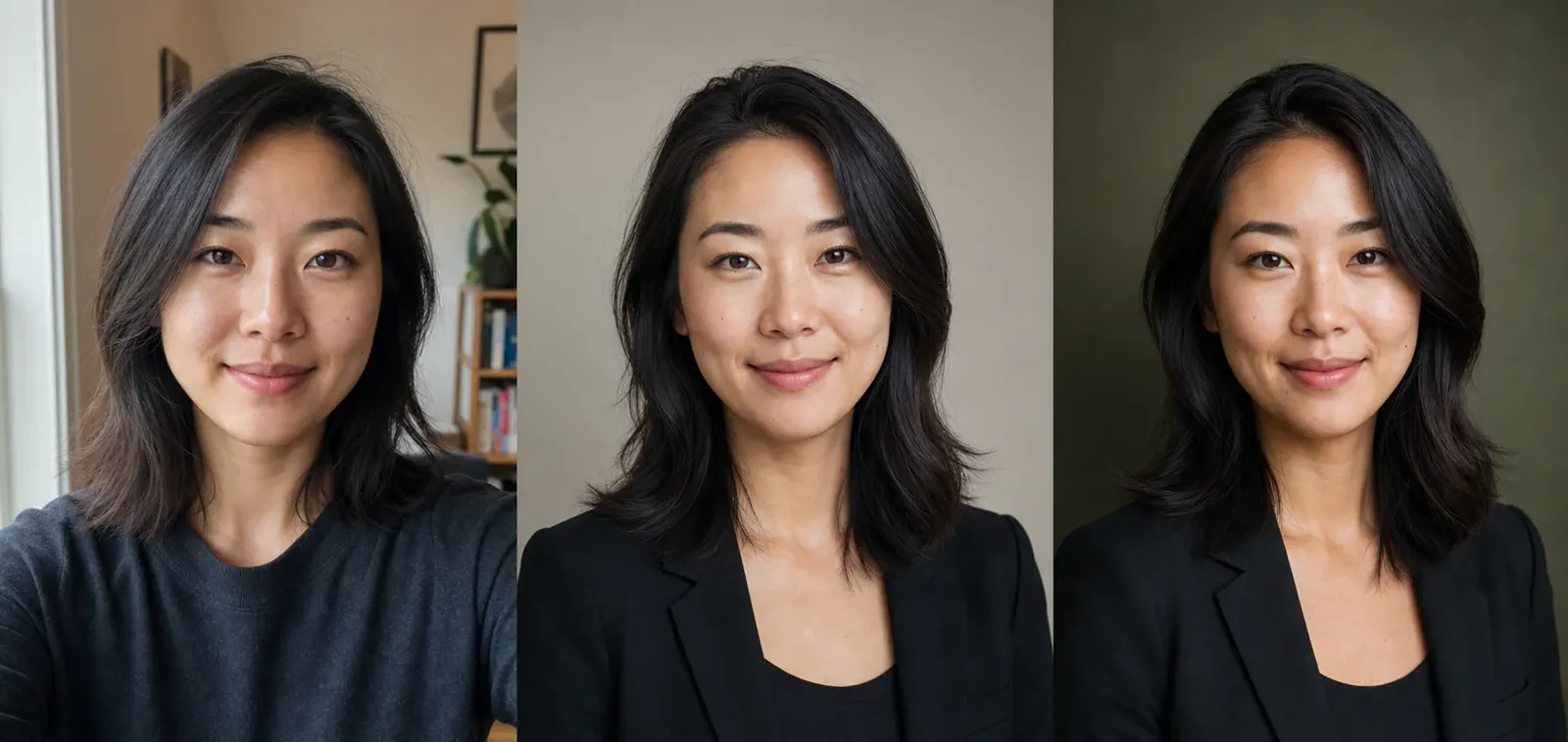
Original photo
Clear facial detail gives AI a reliable identity reference.
Professional
Balanced light and simple framing create a work-ready headshot.
Personal brand
A richer backdrop adds personality while the person stays recognizable.
Three simple steps
Go from an everyday photo to a polished headshot without arranging a photoshoot.
01
Use a sharp, front-facing image with even light and enough space around your head and shoulders.
02
Select a professional style and background that fit your role, industry, or personal brand.
03
Review the square, circle-safe result and download a 1K PNG for your profile.
One portrait, many places
Use the same polished visual language across professional profiles, team pages, speaker bios, and founder stories.
Create a clear, credible image for work and networking.
Bring different employee photos into one consistent style.
Prepare a confident portrait for media, events, and proposals.
Keep a recognizable look across social and creator channels.
Made to still look like you
The dedicated portrait prompt treats your upload as the source of truth and limits changes to presentation.
Questions
What to know before turning your photo into a professional headshot.
Choose a sharp, well-lit, front-facing photo where one person’s complete face and hair are visible. Avoid sunglasses, heavy shadows, extreme angles, and very small faces.
The portrait workflow explicitly preserves recognizable facial identity, age, ethnicity, skin tone, hair, and natural features while improving presentation. Review every AI result before using it.
Yes. Choose a business, approachable, or creative portrait direction, then pair it with a neutral studio, modern office, or deep olive background.
The square 1K PNG is framed to crop cleanly into common square and circular profile formats for professional profiles, team pages, speaker bios, and social accounts.
The profile picture maker replaces distracting surroundings with the selected professional setting while refining light and framing around the person.
Ready when you are
Upload one clear photo, choose a direction, and create a professional portrait in a few clicks.