
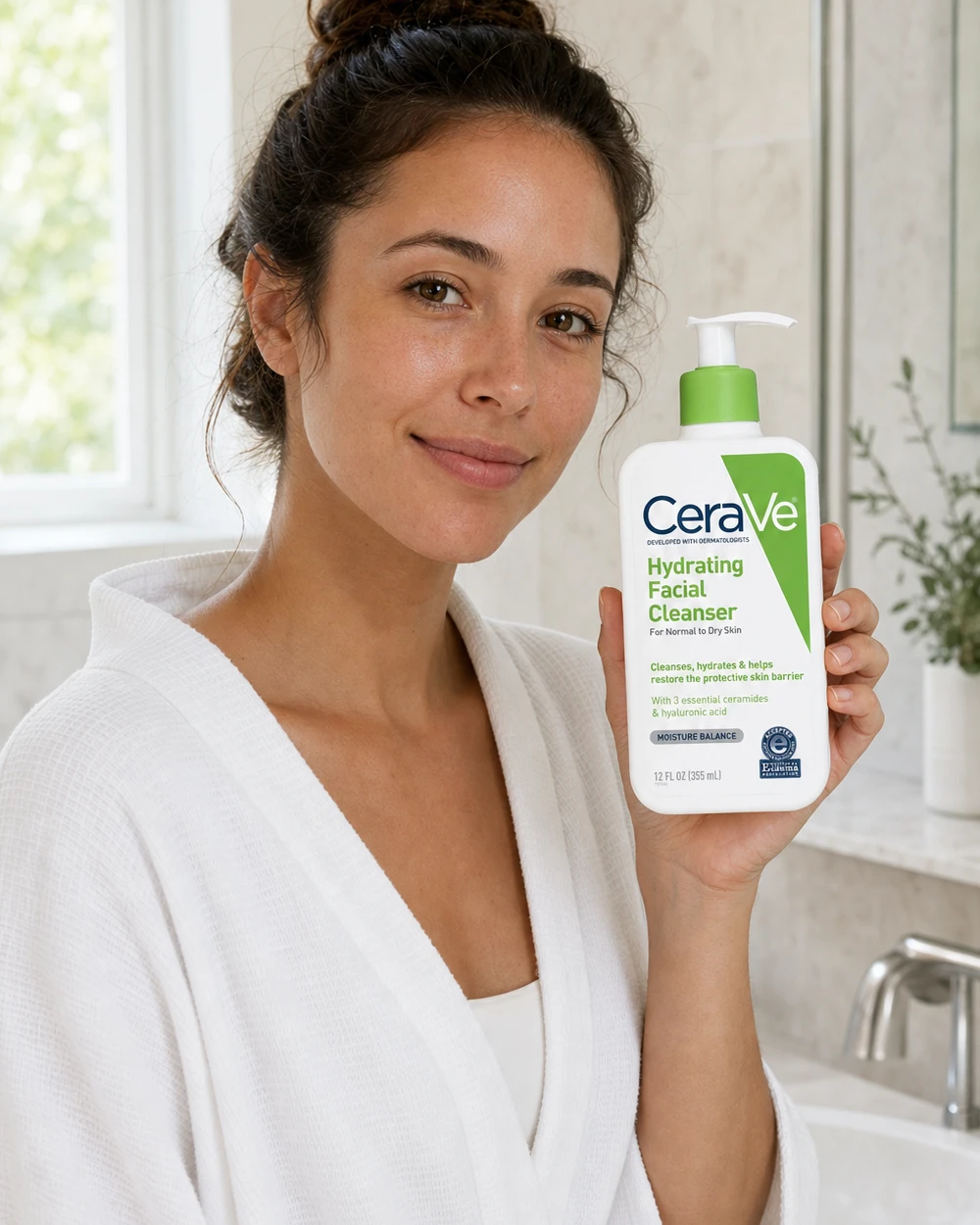
01Morning routine
Skincare on the bathroom shelf
Shared daylight, a grounded surface, and familiar details make the product feel present in a real routine.
AI product staging
Upload one product photo and turn it into a polished lifestyle image. Adyvi matches scale, contact, light, and context so the product feels photographed in the scene.
Choose where the product belongs, then add an optional detail.
Scene direction
Best-fit scene · Natural daylight
Your upload is processed securely and saved to your account.
From product photo to lived-in context
A believable setting explains scale, use, and mood at a glance. These independent AI concepts show how different products can move from a clean reference into a relevant everyday moment.
Shared daylight, a grounded surface, and familiar details make the product feel present in a real routine.
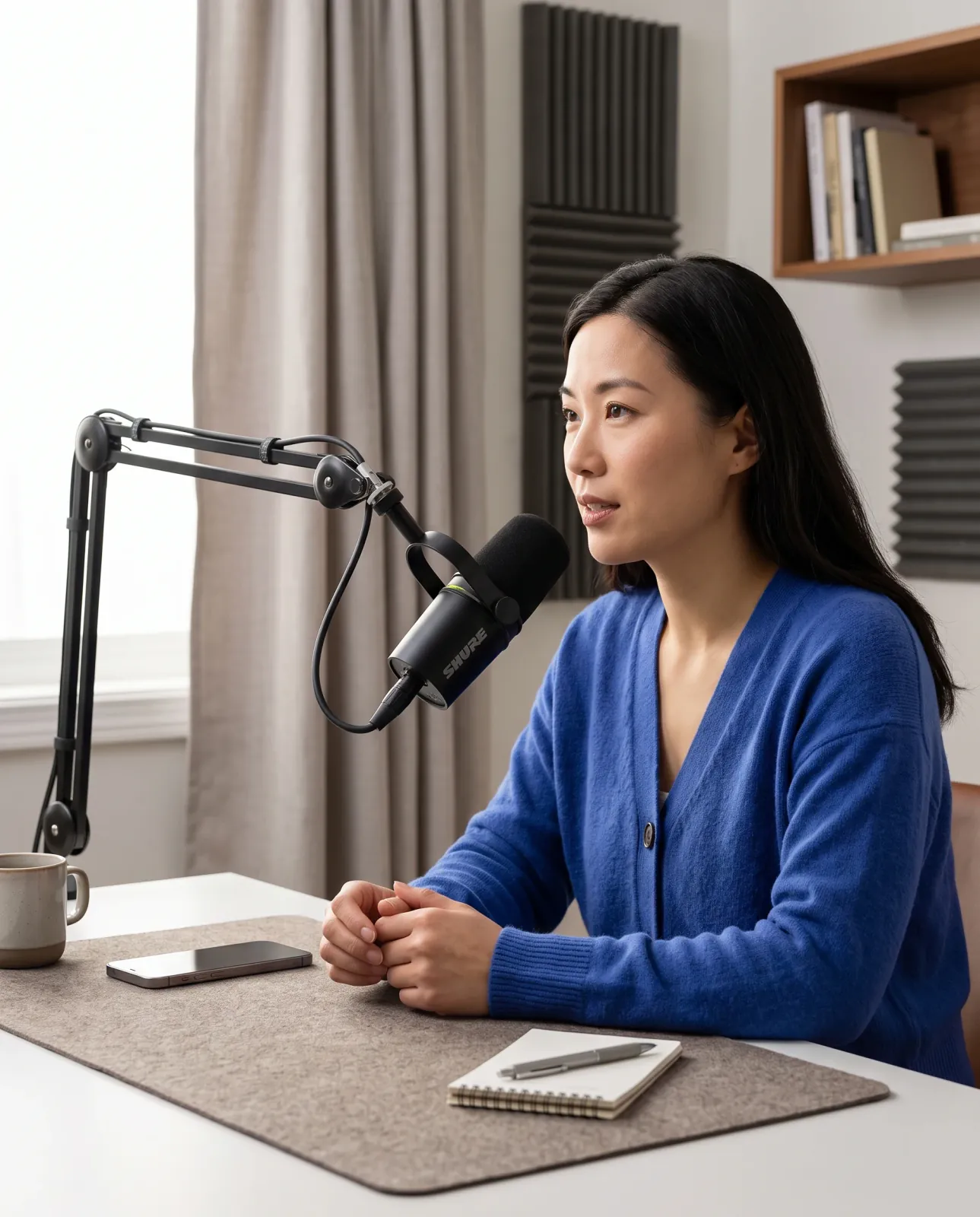
Real scale, practical placement, and consistent light turn a product photo into an understandable use case.
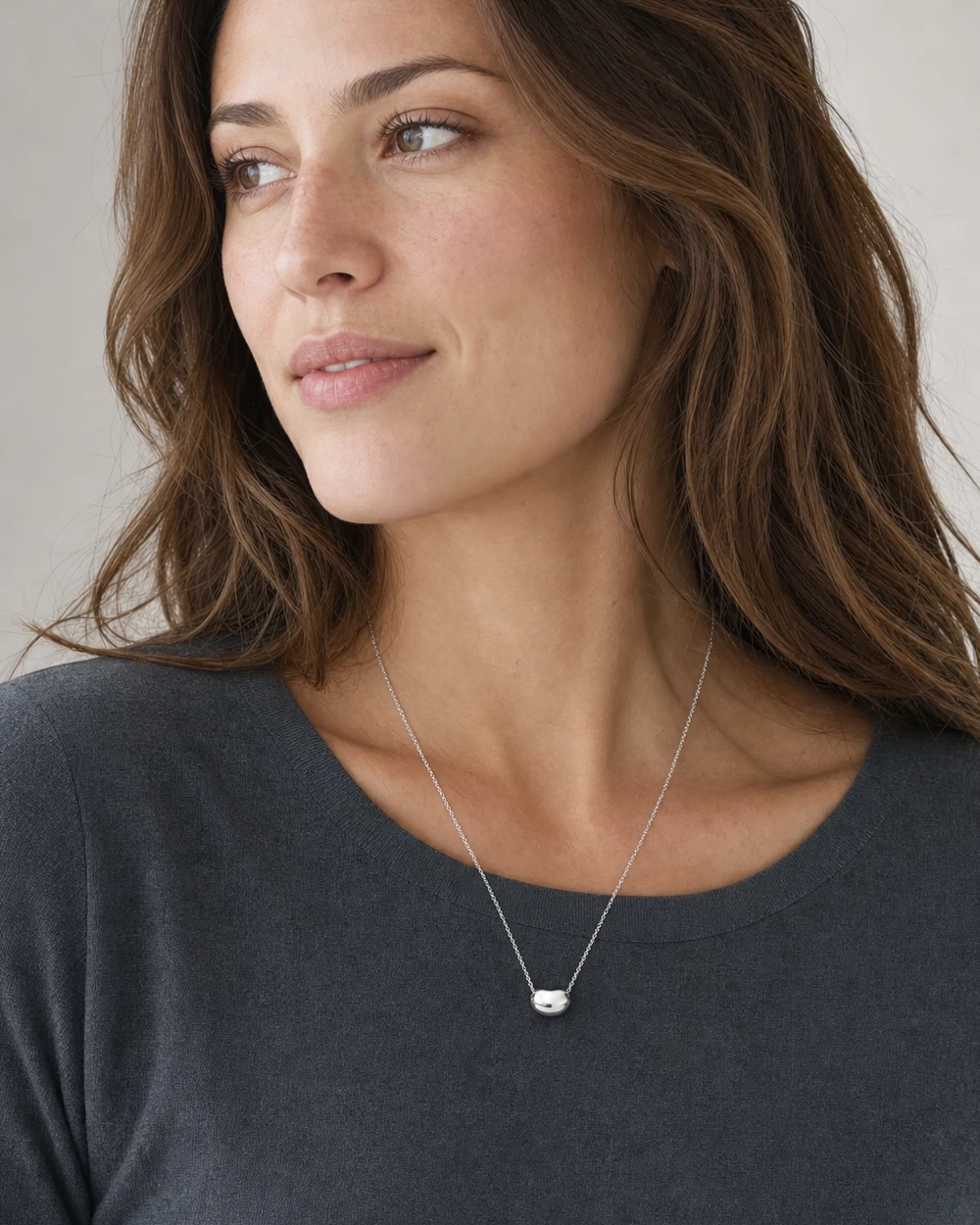
Natural contact and restrained styling give customers a clearer sense of size and character.
Independent AI concepts created for illustration; not official brand campaigns.
A shorter path to lifestyle photography
Move from a clear product reference to a downloadable scene in three simple steps.
01
Start with a sharp image that shows the complete item, its materials, packaging, and important details.
02
Pick a home, tabletop, in-use, or outdoor setting and add one detail if you have a specific idea.
03
Create a 4:5 lifestyle image, review product accuracy, and download the PNG for your next campaign.
Realism lives in the details
The dedicated staging prompt keeps the upload as the product source of truth while asking AI to build a physically believable environment around it.
Questions
What to know before turning a product photo into a lifestyle scene.
Use one sharp, well-lit photo showing the complete product. A simple background and visible edges give AI clearer evidence for preserving shape, materials, labels, and proportions.
Yes. Choose a best-fit, home, in-use, tabletop, or outdoor direction. You can also add a short detail such as a surface, room, season, or supporting prop.
The staging prompt explicitly treats your upload as the product source of truth. AI can still make mistakes, so review packaging, logos, text, colors, and construction before publishing.
The 4:5 PNG works well for many product pages, social posts, and advertising layouts. Check your channel requirements and confirm the generated product details first.
Background replacement mainly changes what sits behind a product. Product staging builds a complete use context around it, including surfaces, props, contact, scale, shadows, reflections, and sometimes people.
Start with one clear product photo
Choose a realistic setting and create a polished lifestyle image without organizing another photoshoot.