
Product detail pages
Show more of the product without scheduling another studio shoot.
One photo in. A complete view set out.
Upload one product photo. Adyvi turns it into three coordinated ecommerce angles while keeping the product, lighting, scale, and studio language connected.
Secure processing · saved to your Adyvi account
From source photo to selling gallery
The source image establishes what must stay true. Then the camera moves while the product identity and studio setup stay connected.
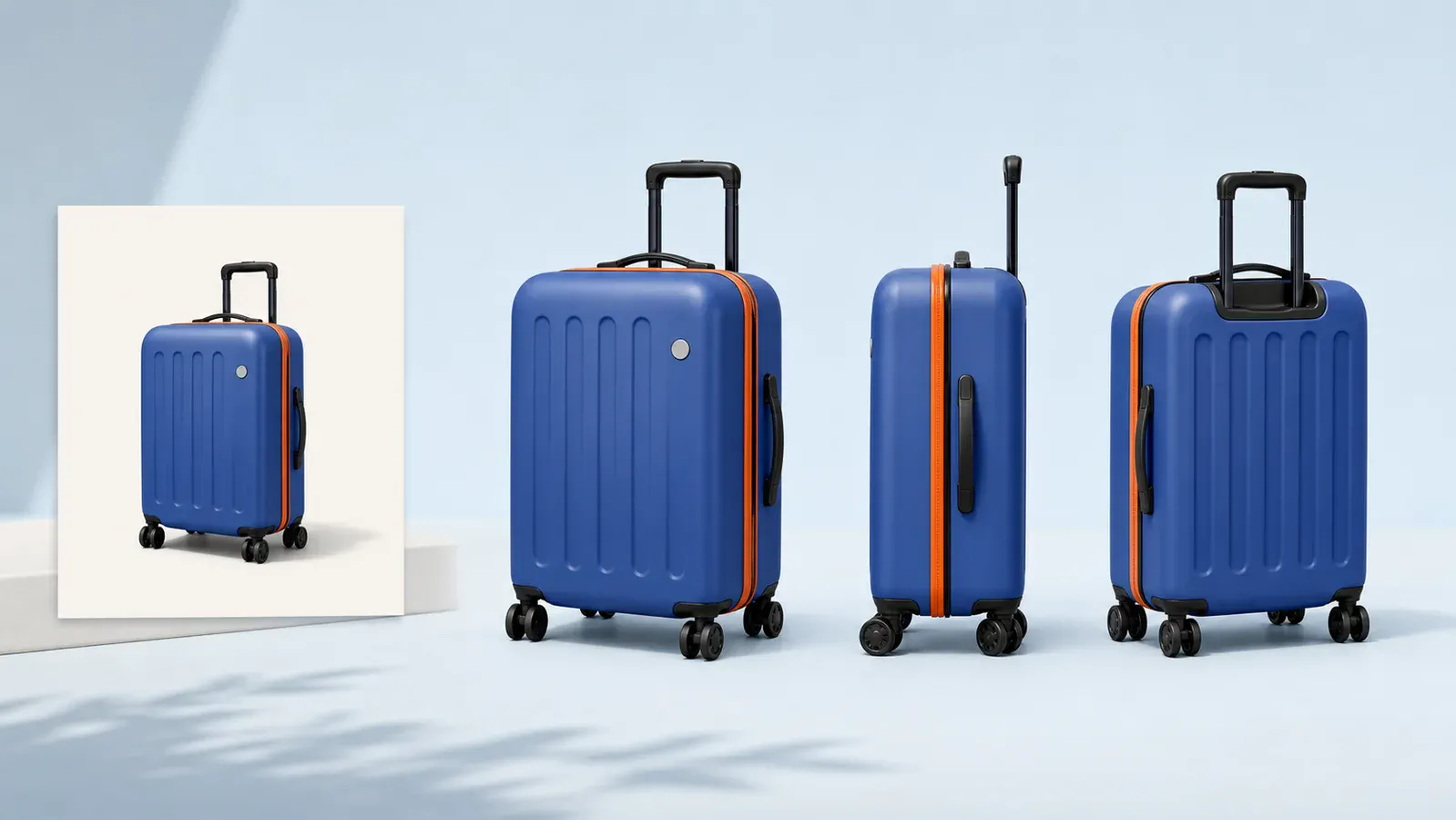
Use an image with the full silhouette, sharp details, and minimal obstruction.
Adyvi carries the visible shape, materials, colors, proportions, details, and logo geometry into every prompt.
Receive a front three-quarter, side profile, and rear three-quarter image in one consistent studio language.
Multi-view consistency
A useful multi-angle set is not just three blue suitcases. Shape, materials, construction details, accents, and photography conditions all need to read as one product story.
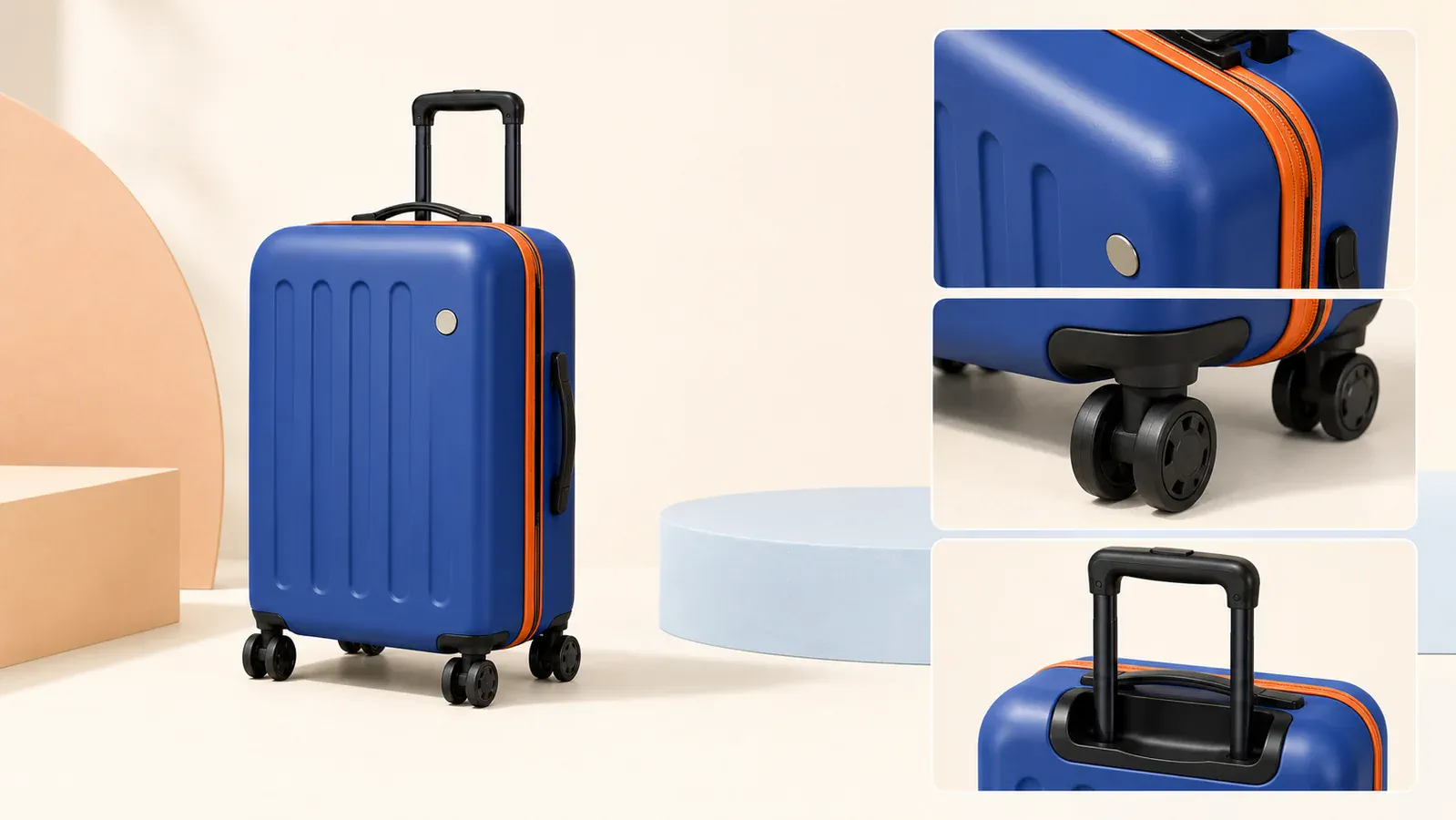
Ready for commerce
Move from a single source photo to a coherent gallery for product pages, marketplaces, and campaign creative.
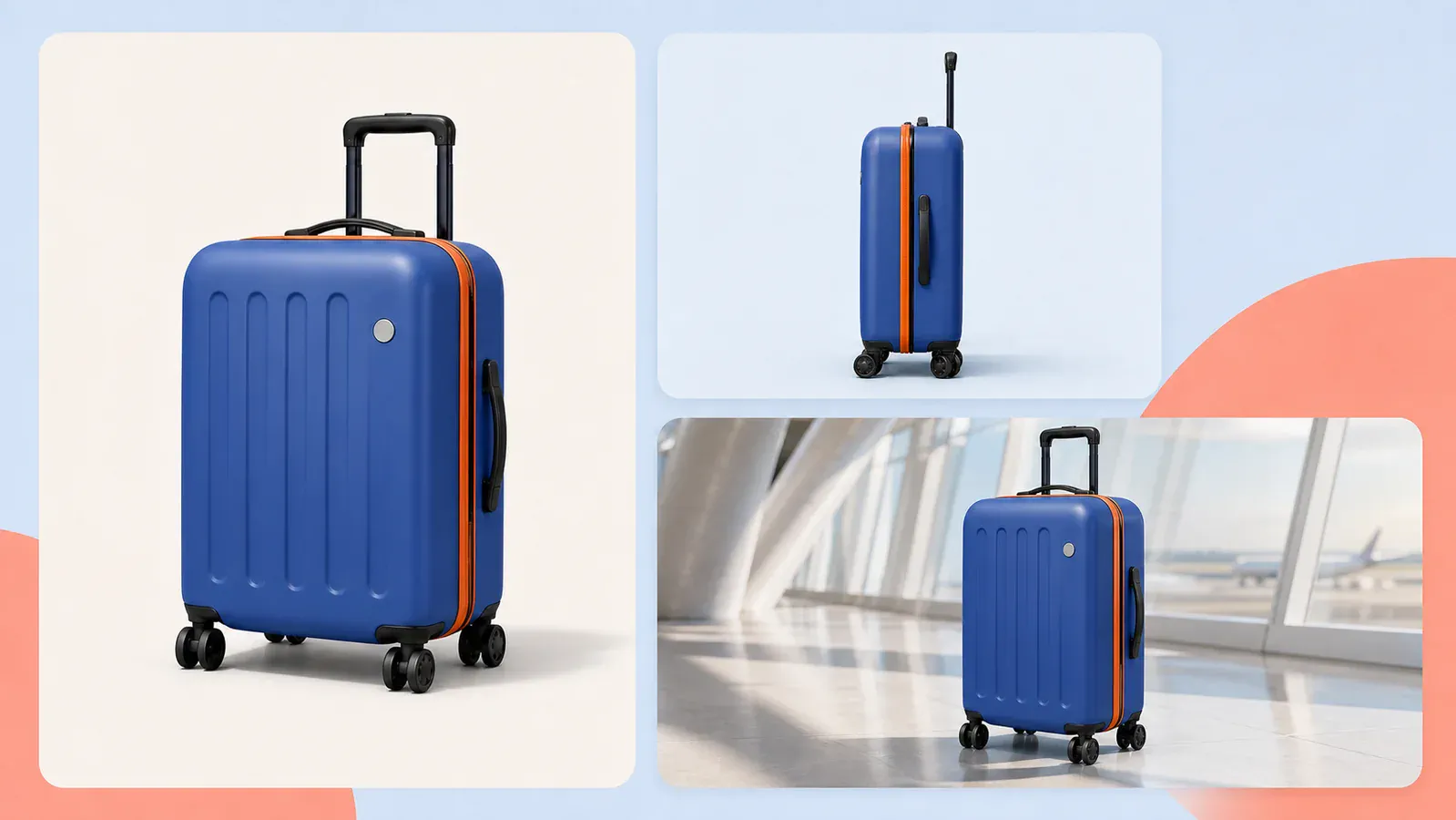
Show more of the product without scheduling another studio shoot.
Build a clean, coordinated gallery for ecommerce and social shops.
Give layout and campaign teams more usable product perspectives.
Better source, better set
A single image cannot reveal every hidden surface. Start with a well-lit three-quarter photo, keep branding readable, and check inferred rear details before commercial use.
Questions
What to expect when generating multiple product views from one image.
It creates three separate square product images: a front three-quarter view, a side profile, and a rear three-quarter view. It does not create an interactive 3D model or a full 360-degree video.
All three tasks use the same uploaded image plus identical identity, lighting, scale, camera, and background constraints. Each prompt changes only the requested viewing angle.
Use a sharp, well-lit three-quarter product photo with the full outline visible. Avoid hands, heavy reflections, motion blur, or important details hidden behind props.
The AI must infer details it cannot see. The prompt tells it to infer conservatively, but you should verify rear surfaces, ports, labels, and product-specific claims before publishing.
The set uses three 1K image generations. Any individual angle that fails is automatically refunded.
Upload one product photo and turn it into a coordinated ecommerce view set.